



Download the Goldspinia App for Android and iOS
If you’re tired of constant updates and intrusive ads, the Goldspinia app is a great solution, since updates happen automatically, and thanks to PWA technology, installation takes place directly from the Goldspinia official site. The download also takes just a moment, and thanks to optimized loading speeds, your gaming experience will be even more enjoyable. We’ve also ported all the benefits of the web version, including data security measures and access to all mobile slots. You can install the application on your iOS and Android devices, as well as on your desktop.



Benefits and Features of the Goldspinia App
When you open the Goldspinia mobile app for the first time, you will find yourself in a familiar environment, as all elements have been carefully adapted to ensure a seamless experience on mobile screens. Here are some other key benefits of the application over playing on a desktop:
- Touch-Optimized Controls: Bigger buttons and swipe gestures make navigating on smartphones quicker and more natural.
- Push Notifications: Receive instant notifications about new bonuses, tournament starts and account updates without the need to check your email.
- Faster access: Launch the application with a single tap on your home screen instead of launching a browser and typing a URL.
- Less Data Usage: Optimized for mobile networks, it uses less data than the full desktop site.
- Better Battery Life: PWA is optimized to consume less power than opening the website in a mobile browser.
- Offline Lobby Access: Browse your game history and account balance without an internet connection.
Mobile Application for iOS
iPhone and iPad users can log in and instantly dive into the game with an enhanced experience with the Goldspinia app. Thanks to optimization for the Apple ecosystem and the fact that it doesn’t require interaction with the store, you can quickly install the iOS app on your device from any browser that’s convenient for you. Deposits are also made directly from your bank and are commission-free, unlike purchases from the App Store, so all your funds will go straight to your account. Game loading times and navigation between sections are also a breeze, thanks to the application speed and convenient full-screen mode.
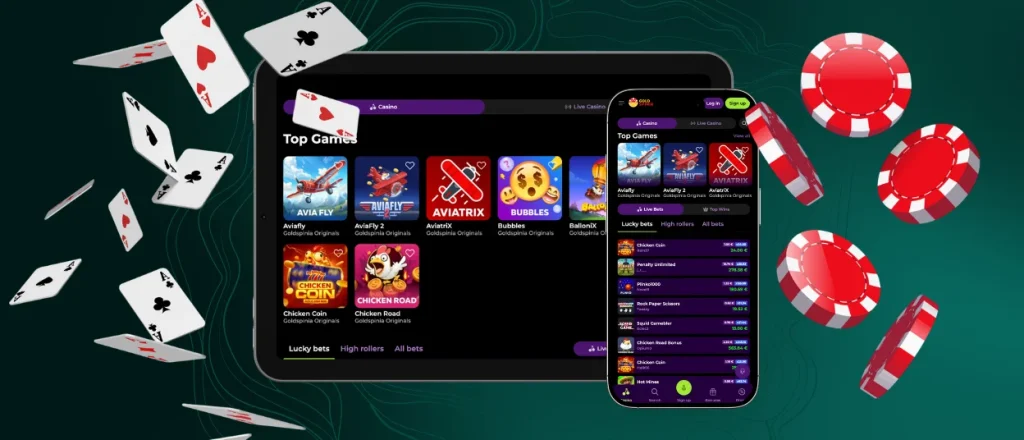
Goldspinia App for Android
Once the Goldspinia app download is complete, you’ll find yourself in a comfortable atmosphere, and the interface has undergone only positive changes. You won’t need to go through the Goldspinia APK file downloading process, nor will you have to constantly deal with intrusive ads as you would when using the Play Store. Although the Android app helps keep your internet connection more stable and saves data, make sure your connection is stable when playing live games and during mobile betting to avoid lag and potential issues. The application works well on most modern devices, but we recommend running Android version 8.0 or higher to ensure smooth performance and full compatibility with mobile gambling.
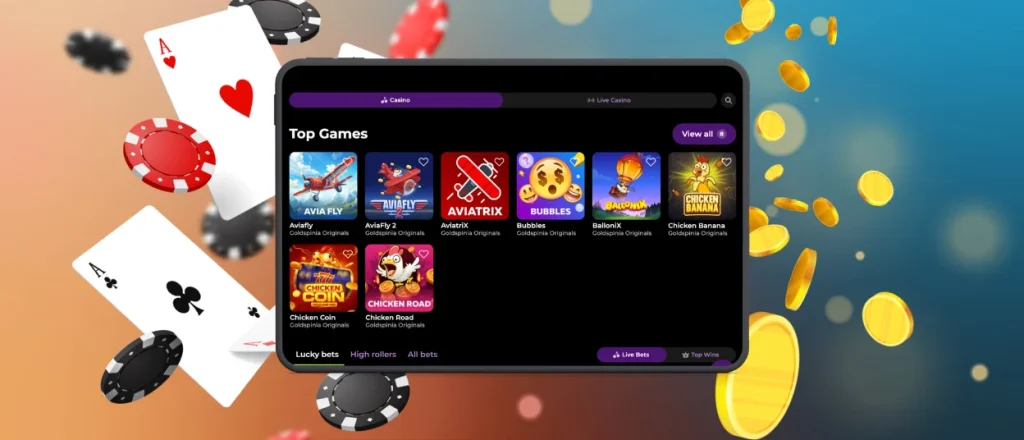
Play Goldspinia Casino on Mac or Windows
The Goldspinia app for Mac and Windows opens from your desktop without having to open a browser. This means you’ll get quicker access to your favorite games, and the visual clutter is reduced to provide a more focused gaming experience. You’ll also get push notifications about promotions and bonuses, so you don’t have to check your email. The application is secured with the same security standards you will find in the web version, including 256‑bit AES encryption and PCI-compliant payment processing, so your personal data and financial transactions are fully secured. The desktop-based program also supports a full-screen mode, which is more immersive than the browser version.

How to Install the Goldspinia App on Any Device
To complete the Goldspinia download app process on any device, the general steps are the same, with only minor differences:
| Device Type | Steps |
| Android | Open our website in Chrome browser → Click on the three dots menu → Click on “Add to the Home Screen” |
| iOS | Open our website in Safari → Tap the “Share” button → Scroll down and select “Add to Home Screen.” |
| Windows / Mac | Open our website in any browser → Click the install icon in the address bar → Confirm the action → Wait for the app icon to appear on your desktop |
FAQ
Can I log in to the Goldspinia app using biometric authentication?
Authentication in the Goldspinia app is available only through the same methods as those available in the web version. To make logging in easier, you can enable autofill for the data stored on your device.
Are my deposits secure when using the mobile app?
You can rest assured that transactions within the Gold Spinia app are secure, as we use exactly the same technologies as those used on the website. For example, thanks to protection against DDoS attacks and brute-force password attacks, the website’s servers remain stable, and if you make multiple attempts to log in to your profile, access will be restricted pending further investigation.
How can I update the Goldspinia app?
You don’t need to do anything else to update your Goldspinia casino app. The progressive web app technology takes care of that automatically, so you can avoid distractions and get straight to the game.
Are bonuses and tournaments available on mobile?
Yes, when you switch between the web version and the Gold Spinia app, all your bonuses and activities remain the same. In your mobile casino profile, you can view your progress in promotions and tournaments in detail and, for example, check how much you need to wager to clear a specific bonus.


